11 min read
How Sales Teams Can Use One Phone System for Prospecting, Follow-Up, and Account management
Sales teams call at every stage of the customer lifecycle, from the first cold prospecting call to renewal conversations with long-time accounts. When each stage runs on a different tool, reps toggle between systems, call history scatters, and CRM updates pile up as manual work. A sales phone system fixes that by bringing prospecting, follow-up, opportunity management, and account calls into one calling workflow, with CRM logging, caller ID health, local presence, recording, analytics, and callback routing built in.
This blog explains what a sales phone system is and how one system can carry a rep from the first dial through account management, without switching tools or losing the thread of a conversation. It also covers the hidden cost of stitching point tools together, which roles benefit most, the features to shortlist, and how Koncert Phone supports the whole lifecycle.
Key Takeaways:
|
What Is a Sales Phone System?
A sales phone system is a business phone built for revenue teams. It handles inbound and outbound calls like any phone system, then adds the data and workflow features sales teams need: CRM and sales engagement integration, automatic call logging, recording and transcription, caller ID management, and call analytics.
A traditional business phone system is built for general communication. A sales phone system is built for selling. The difference is what happens around the call: a general system leaves the record-keeping to the rep, while a sales phone system writes every call to the CRM and keeps the history in one place. For a full breakdown, see our guide on the business phone system vs. sales calling platform.
A connected calling workflow matters because a single deal can involve dozens of calls across weeks or months. When those calls live in one system, any rep or manager can see the full conversation history before picking up the phone. The value is not one feature. It is the fact that prospecting, follow-up, opportunity work, and account calls all feed the same record, so nothing gets lost in the handoffs between stages.
The Hidden Cost of Using Separate Tools for Each Stage
Many teams do not choose a fragmented setup on purpose. It grows over time. Prospecting runs on a dialer, follow-up happens on a rep's cell or a softphone, and account calls sit on a separate business line. Because no single invoice shows the cost, the damage hides inside daily friction instead of a budget line.
Fragmentation shows up in predictable ways:
-
Scattered history. Call notes and recordings live in different tools, so no one sees the full picture before a call.
-
Duplicate or missing data. Reps re-enter the same outcome in several places, or skip it, which leaves the CRM incomplete.
-
No lifecycle visibility. Managers cannot compare connect rates or talk time across prospecting, follow-up, and account calls.
-
Number reputation problems. A number gets flagged as spam in one tool while another keeps dialing it, and no one is watching.
-
Dropped context at handoffs. When a lead moves from an SDR to an AE to an account manager, the conversation history does not always move with it, so the customer repeats themselves.
Each gap is small on its own. Across a quarter and a full team, they add up to lost conversations and pipeline data you cannot trust. One system removes the seams between stages so the history follows the customer, not the tool.
Use One Phone System for Sales Prospecting
Prospecting is where volume matters most. A sales phone system speeds up outbound with click-to-dial from the CRM or a call list, so reps skip manual dialing. Local presence shows the prospect a number that matches their area code, and custom caller ID lets a rep display a specific line when it helps.
Caller ID health keeps those numbers from getting flagged as spam, which protects connect rates over time. Every call logs automatically to the CRM with the disposition and notes the rep selects, so no prospecting activity goes unrecorded and the next touch is always scheduled against an accurate record.
For high-volume outbound, a sales phone system pairs with dialers. Koncert's AI Parallel Dialer and AI Power Dialer place far more calls per hour and connect reps only to live answers, on the same platform as the phone. That means a prospecting blitz and a one-off follow-up call share the same numbers, the same logging, and the same analytics.
Use the Same Phone System for Lead Follow-Up
Most deals are won in the follow-up, not the first call. The same system that made the prospecting call carries the follow-up. Reps see the full call history, recordings, and transcripts before dialing, so they pick up where the last conversation ended instead of starting over.
When a prospect does not answer, callback routing sends their return call straight to the rep who dialed, instead of a general line. Demo follow-ups, meeting confirmations, and reconnection attempts all stay tied to the same CRM record, so the follow-up sequence is never guesswork. A rep who sees that a prospect asked about integrations last week opens the follow-up on that exact point, which makes the second call feel like a continuation rather than a cold restart.
Use One Phone System for Opportunity Management
As a lead becomes an opportunity, the calls get higher stakes. A sales phone system lets reps move active deals forward with full context. They review previous conversations and recordings before each call, so they walk in prepared and avoid asking questions the buyer already answered.
Stalled deals are easier to re-engage when the history is one click away, and strategic outreach to executives carries the same recording, note, and logging support as any other call. Managers can review the recordings to coach on the deals that matter most, and pull the recurring objections from late-stage calls into team training.
Use the Same Phone System for Account Management
Selling does not stop at the close. Account managers use the same system for customer check-ins, expansion and cross-sell conversations, and inbound calls from existing accounts. Dedicated business numbers, or DIDs, give each customer a consistent line to reach their contact, and callback routing connects inbound calls to the right person.
Because every call logs to the CRM, the account team keeps a complete communication history, from the first cold call through the latest renewal conversation. When a renewal comes up, the account manager can see every call the customer has had with the company, which turns a renewal check-in into an informed conversation rather than a generic one.
Which Sales Roles Benefit Most From One Phone System
Different roles use the same system in different ways, and each one gets time back:
-
SDRs and BDRs run high-volume prospecting with click-to-dial, local presence, and automatic logging, so they spend the day in conversations instead of updating records.
-
Account Executives move opportunities forward with the full call history and recordings in front of them before every deal call.
-
SDR and sales managers coach from recordings and analytics and shorten ramp time for new reps by sharing what works.
-
RevOps and sales operations keep CRM data clean and complete because activity logs itself, which makes reporting and forecasting more reliable.
-
Account managers and CSMs handle renewals, check-ins, and expansion calls on the same line, with the entire account history attached.
Features Sales Teams Should Look for in a Phone System
When you evaluate options, look for the capabilities that connect calling to sales activity across every stage:
-
CRM and sales engagement integration
-
Automatic call logging
-
Click-to-dial
-
Call recording and transcription
-
Call analytics: connect rate, talk time, and volume
-
Custom caller ID and DID numbers
-
Callback routing to the original rep
-
AI conversation analysis
-
Inbound and outbound calling
How Koncert Phone Supports the Full Sales Calling Workflow
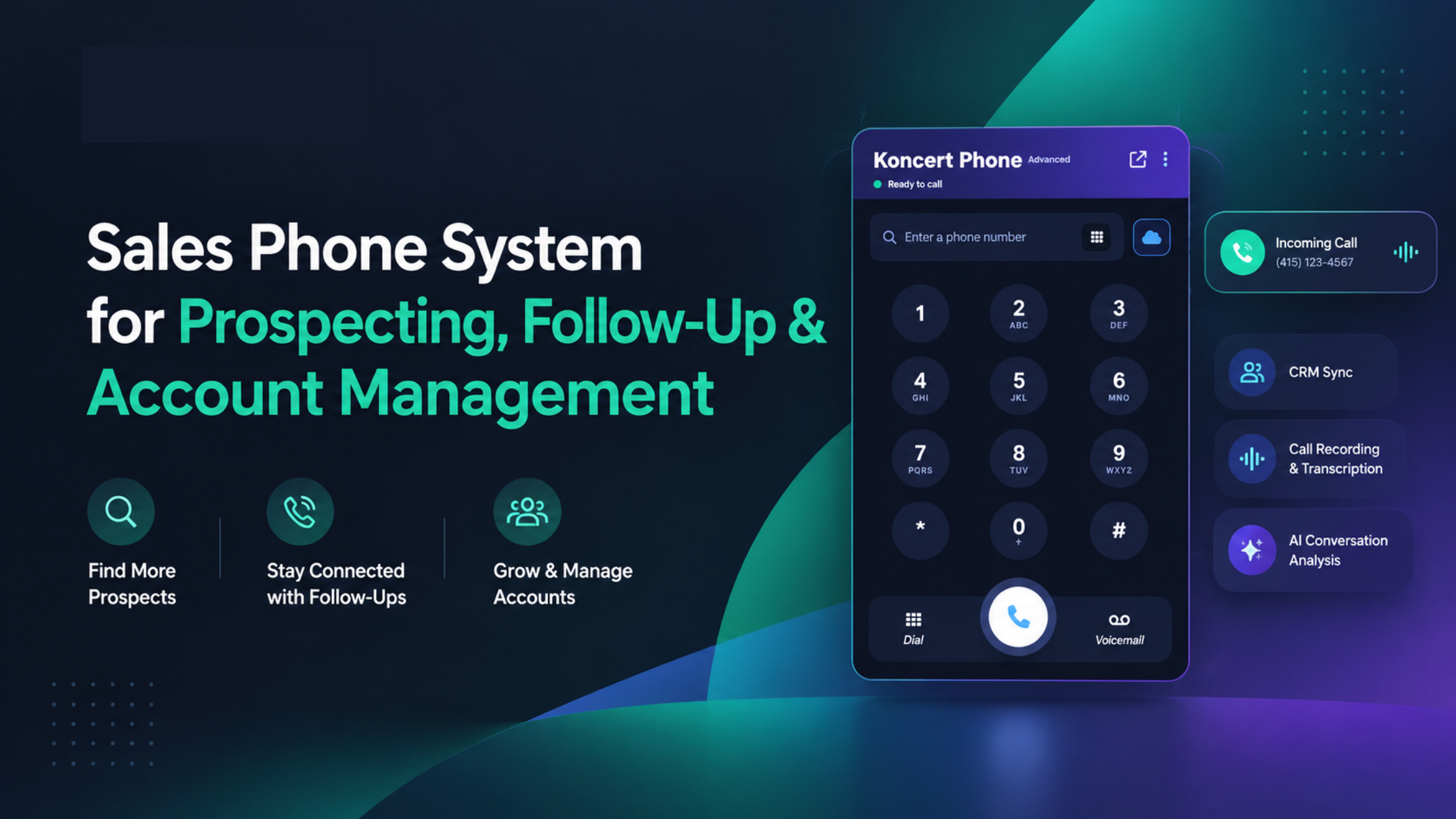
Koncert Phone is a cloud phone system built for revenue teams. It covers every stage above in one place, fully integrated with the Koncert Platform, with setup in minutes through a Chrome extension.
Inbound and Outbound Calling
Every rep gets a dedicated business line with unlimited inbound and outbound minutes, no hardware, and no per-minute fees, so the same phone handles cold calls and customer conversations alike.
Fully Managed Caller ID Health
Koncert monitors your caller ID reputation, resolves spam flags, and restores numbers to a healthy state automatically, which protects connect rates through months of prospecting.
Local Presence and Custom Caller ID
Reps dial with local presence numbers matched to the prospect's area code, their own DID, or an approved custom caller ID, and choose the right identity directly in the app.
Automatic CRM and SEP Activity Logging
Every call, note, disposition, and recording syncs automatically to Salesforce, HubSpot, Microsoft Dynamics, Salesloft, Outreach, Apollo, and Gong, so activity from every stage lands on the right record.
Call Recording, Transcription, and AI Conversation Intelligence
Koncert records and transcribes every call, then generates a concise AI call summary that syncs to the CRM. An AI coaching add-on surfaces the talk tracks that win, so reps prepare for the next call with full context.
Callback Connection Technology
When a prospect or customer calls back, Koncert Phone routes the call straight to the rep who made the original dial, turning returned calls into live conversations instead of missed opportunities.
Salesforce Click-to-Dial
With the Koncert Phone Advanced plan, Salesforce users launch calls with one click from inside Salesforce and keep every Koncert Phone calling capability without leaving the CRM.
Call Analytics and Reporting
Managers see call volume, connect rates, and talk time by rep and by list in real time. For high-volume prospecting, Koncert Phone also works alongside Koncert's dialers, the AI Parallel Dialer, AI Power Dialer, Agent-Assisted Dialer, and Click Dialer, plus the Caller ID Heat Map, Waterfall Data Enrichment, AI PitchLab, Remote Coach, Data Researcher and the AI Voice Agent, all on the same platform.
Benefits of Using One Phone System for Sales
Consolidating calling into one sales phone system pays off across the team and directly improves sales rep productivity:
-
Fewer disconnected calling tools to buy, learn, and maintain
-
Less manual CRM administration, since calls log themselves
-
Easier access to full call history before every conversation
-
More consistent follow-up, because nothing falls through the cracks between tools
-
Better visibility into sales conversations for coaching and forecasting
-
One workflow from prospecting through account management
How to Choose the Right Sales Phone System
Weigh options against how your team actually sells:
-
CRM compatibility. Confirm native, two-way sync with your CRM and sales engagement platform.
-
Prospecting and outbound needs. Check click-to-dial, local presence, and whether it pairs with dialers for volume.
-
Inbound calling. Make sure it handles inbound calls and callbacks, not just outbound.
-
Caller ID management. Ask whether caller ID health is managed for you or left to your team.
-
Analytics and recording. Look for connect rate and talk time reporting, plus recording and transcription.
-
Administration and scale. Check SSO, permissions, and how fast you can add reps.
Two questions cut through most pitches: does it log to your CRM without manual steps, and will one system cover all your sales stages, or are you stitching tools together? If a vendor cannot answer yes to both, you are likely buying another point tool rather than a system that carries the whole lifecycle.
Frequently Asked Questions
What is a sales phone system?
A sales phone system is a business phone built for revenue teams. It handles inbound and outbound calls and adds sales features like CRM logging, call recording, caller ID management, local presence, and analytics.
How is a sales phone system different from a business phone system?
A business phone system is built for general communication. A sales phone system adds the data and workflow features sales teams need, including CRM integration, automatic call logging, caller ID health, and conversation analysis, so calls turn into sales activity.
Can one phone system handle prospecting and account management?
Yes. A sales phone system carries a rep from the first cold call through follow-up, opportunity management, and account communication, keeping the full call history and CRM logging in one place across every stage.
Can sales phone systems integrate with Salesforce?
A good one does. Koncert Phone syncs activity to Salesforce automatically, and its Advanced plan adds Salesforce Click-to-Dial. It also integrates with HubSpot, Microsoft Dynamics, Salesloft, Outreach, Apollo, and Gong.
What features should sales teams look for in a phone system?
Prioritize CRM and SEP integration, automatic call logging, click-to-dial, recording and transcription, call analytics, managed caller ID health, local presence, callback routing, and both inbound and outbound calling.
Can a sales phone system handle both inbound and outbound calls?
Yes. A sales phone system supports outbound prospecting and follow-up as well as inbound calls and callbacks. Koncert Phone routes returned calls to the original rep so inbound engagement is never lost.
Conclusion
Sales teams do not call in one stage. They call across the entire lifecycle, and every disconnected tool between prospecting and account management costs them time and clean data. One sales phone system removes that friction. It keeps calling, CRM logging, caller ID health, recording, and analytics in a single workflow, so reps stay on the phone and managers see the whole picture.
Koncert Phone brings prospecting, follow-up, opportunity management, and account communication together in one cloud phone system, fully integrated with the Koncert Platform and its dialers.
|
Run your whole sales calling workflow on one system. Book a demo of Koncert Phone and see how prospecting, follow-up, and account management run in a single platform, with CRM logging, Fully Managed Caller ID Health, analytics, recordings, and AI conversation intelligence. |