8 min read
Sales reps spend a large share of the day not selling. They switch between a phone, the CRM, a sales engagement platform, call notes, and reporting tools, and every switch adds friction. Reps commonly spend well under half their week actually talking to buyers, with the rest going to admin and tool-switching. A sales-focused business phone system pulls calling into one workflow, so reps log less, dial faster, and spend more time in conversations.
This article explains what a sales-focused business phone system is, then walks through seven specific ways it gives reps their time back.
Key Takeaways:
|
What Is a Sales-Focused Business Phone System?
A sales-focused business phone system is a cloud phone built for revenue teams. It makes and takes calls like any business phone, then connects calling to the CRM, sales workflows, analytics, and productivity features.
A traditional business phone system stops at the call. A sales-focused system carries the call into the rest of the sales process: it logs the activity, keeps the recording, updates the record, and reports on the outcome. For a fuller comparison, see our guide on the business phone system vs. sales calling platform.
Calling should connect to the rest of the sales process because a disconnected phone forces reps to re-enter everything by hand. When the phone talks to the CRM, the admin work mostly disappears, and that is where the productivity gains come from. The seven points below break down exactly where reps get their time back.
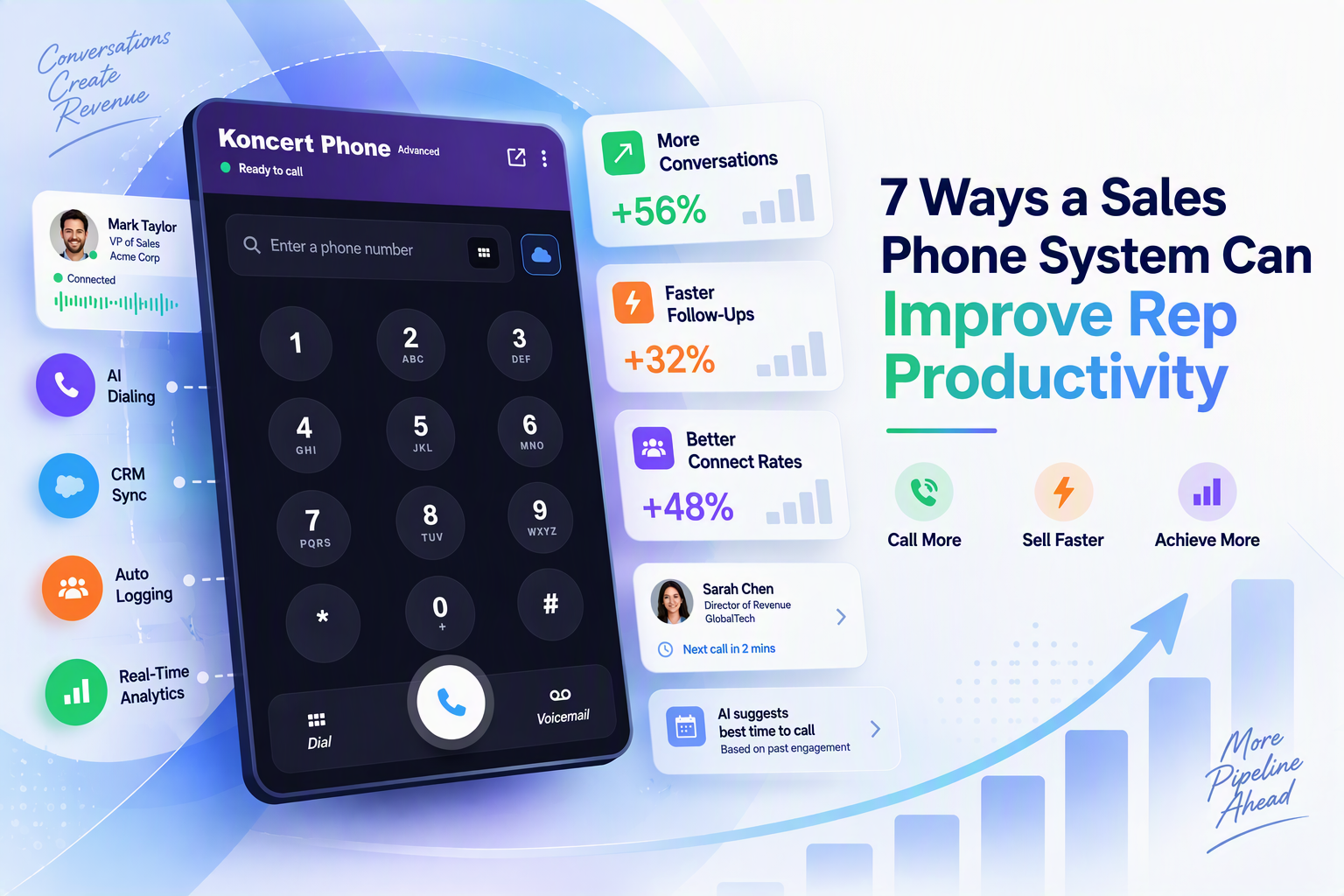
7 Ways a Sales Phone System Can Improve Rep Productivity
Here are seven specific ways the right system gives reps their time back.
Spend Less Time Manually Logging Calls
Every call, note, disposition, and recording logs to the CRM automatically, so reps stop retyping outcomes after each dial. If a rep makes 60 calls a day and each manual log takes 30 seconds, automatic logging returns about half an hour of selling time daily. Across a team, that adds up fast.
Make Calls Faster With Click-to-Dial
Reps click a number in the CRM or a call list and the system dials it. No copying digits, no misdials, no lost seconds between calls. With Salesforce Click-to-Dial, reps launch calls from inside Salesforce without switching windows. On a day of 60 dials, shaving even ten seconds off each call setup keeps a rep in rhythm and adds up to another block of live selling time.
Spend More Time Talking to Prospects
Faster outbound workflows mean more dials per hour and more live conversations. The system supports different calling workflows and ties every call to the prospect's record, so reps move from one conversation to the next without administrative detours. For high-volume prospecting, dialers push this further: Koncert's AI Parallel Dialer connects reps only to live answers, on the same platform as the phone.
Reduce Time Spent Managing Caller IDs
Managing phone numbers by hand is a hidden time sink. Caller ID health monitors number reputation and clears spam flags automatically. Local presence selects an area-code-matched number for each call, and custom caller ID lets reps display a specific line, all without manual setup.
Find Previous Conversations Without Searching Multiple Tools
Call history, recordings, and transcripts live in one place, tied to the CRM record. Before a follow-up, a rep reads the last AI summary or replays the call in seconds instead of hunting across separate tools, so they walk into every conversation with context. A rep who remembers that a prospect asked about pricing last week opens the next call on the right note, instead of starting cold or repeating questions the buyer already answered.
Make Follow-Up More Efficient
When a prospect calls back, callback routing sends them to the rep who made the original dial, not a general line. Call history and CRM sync keep every follow-up connected to the right record and the right workflow, so missed calls and callbacks reach the correct rep instead of slipping through.
Give Reps Better Information From Every Conversation
Call analytics show connect rates, talk time, and call volume. AI conversation analysis transcribes calls and generates summaries, so reps prepare for the next call with real context and managers coach from what actually happened on the line. Instead of guessing why one rep books more meetings, a manager can compare talk tracks across recordings and share what works with the whole team, which shortens ramp time for new hires.
Sales Productivity Tools Should Remove Work, Not Create It
The trap with productivity tools is that each point solution adds its own login, its own data entry, and its own place to check. Ten tools that each save five minutes can still cost a rep an hour of switching. Calling, CRM activity, analytics, and workflow should work together in one place. A sales phone system that runs the full calling workflow earns its keep by removing steps, not by adding another layer of admin.
How Koncert Phone Supports Sales Rep Productivity
Koncert Phone is a cloud phone system built for revenue teams that brings these gains into one platform, integrated with the Koncert Platform and set up in minutes through a Chrome extension:
-
Inbound and outbound calling: unlimited minutes and a dedicated DID for every rep, with no hardware.
-
Automatic CRM and SEP activity logging: calls, notes, dispositions, and recordings sync to Salesforce, HubSpot, Microsoft Dynamics, Salesloft, Outreach, Apollo, and Gong.
-
Salesforce Click-to-Dial: one-click calls from inside Salesforce on the Advanced plan.
-
Fully Managed Caller ID Health: monitors reputation, clears spam flags, and restores numbers automatically.
-
Local Presence and Custom Caller ID: area-code-matched numbers, a personal DID, or a custom caller ID, chosen in-app.
-
Call recording and transcription: every call captured and searchable for coaching and follow-up.
-
AI Conversation Intelligence: AI call summaries synced to the CRM, plus an AI coaching add-on.
-
Callback Connection Technology: routes returned calls straight to the original rep.
-
Call analytics and reporting: connect rates, talk time, and volume by rep and by list.
How to Evaluate Sales Productivity Tools for Your Team
Before you add another tool, run it through these questions:
-
Does it reduce manual data entry, or add more?
-
Does it integrate natively with your CRM and sales engagement platform?
-
Can reps call directly from their existing workflows?
-
Does it give quick access to call history and recordings?
-
Does it simplify caller ID management?
-
Does it produce call data reps and managers can act on?
-
Can one workflow cover prospecting, follow-up, and account management?
If a tool cannot answer yes to most of these, it will likely add work rather than remove it.
Frequently Asked Questions
What are sales productivity tools?
Sales productivity tools are software that helps reps spend more time selling and less on admin. A sales phone system is one of the highest-impact examples, because calling and its record-keeping take up so much of a rep's day.
What is the best type of productivity tool for sales reps?
The best tools remove steps rather than add them. A sales phone system that connects calling to the CRM, logs activity automatically, and centralizes call history tends to save the most time, since it replaces several disconnected tools at once.
How does a sales phone system improve productivity?
It automates call logging, speeds up dialing with click-to-dial, manages caller ID health, centralizes call history and recordings, routes callbacks to the right rep, and surfaces call analytics, so reps spend more time in conversations.
Can a business phone system integrate with a CRM?
A sales-focused one does. Koncert Phone syncs every call, note, disposition, and recording to Salesforce, HubSpot, Microsoft Dynamics, Salesloft, Outreach, Apollo, and Gong automatically.
How does click-to-dial improve sales productivity?
Click-to-dial lets reps launch a call from a CRM record or call list with one click, removing manual number entry and misdials. Over dozens of calls a day, that saves meaningful time and keeps reps in one workflow.
Why is automatic call logging important for sales teams?
Manual logging eats selling time and leads to missed or inaccurate data. Automatic logging keeps the CRM complete and accurate while giving reps that time back for conversations.
What should sales teams look for in productivity software?
Look for native CRM and SEP integration, automatic call logging, click-to-dial, call history and recordings, managed caller ID health, actionable analytics, and one workflow that covers prospecting, follow-up, and account management.
Conclusion
Rep productivity is rarely an effort problem. It is a friction problem. Every manual log, every misdial, and every search across tools is time that could have gone to a conversation. A sales-focused business phone system removes that friction by putting calling, CRM logging, caller ID management, recordings, and analytics in one workflow.
Koncert Phone brings all seven gains together in one cloud phone system, integrated with the Koncert Platform and its dialers, so reps spend less time on admin and more time selling.
|
Give your reps their selling time back. Book a demo of Koncert Phone and see how business calling, CRM and SEP logging, Fully Managed Caller ID Health, analytics, recordings, and AI conversation intelligence come together in one sales calling workflow. |